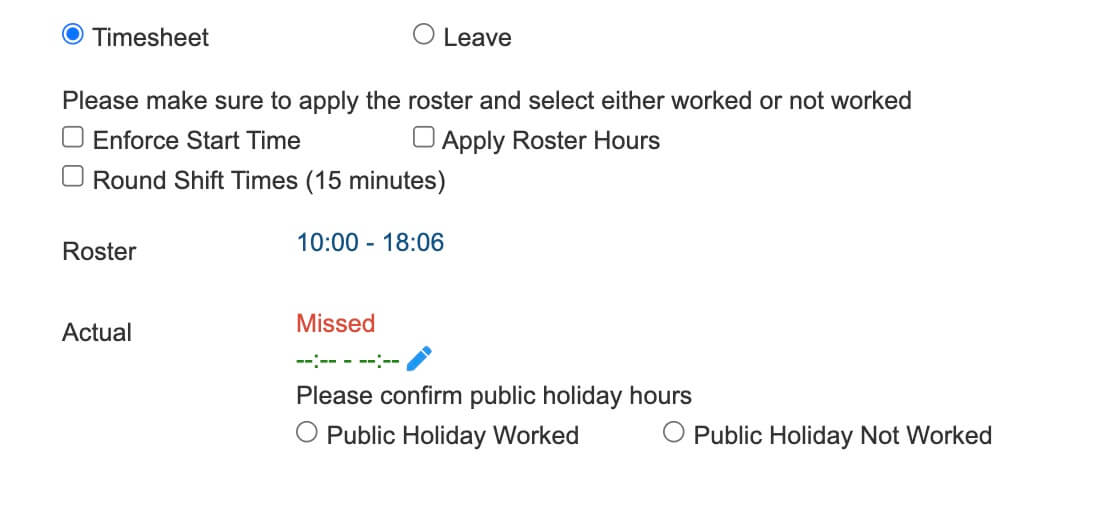
Public Holiday Management
SKGenius supports both Australia-wide (global) public holidays and regional holidays.
For Australia-wide holidays, the system allows users to apply the holiday globally so it automatically applies to all states and client sites.
For regional holidays, users can specify the relevant state and must enter the applicable postcodes (separated by commas). This ensures the holiday is applied only to employees and sites located within those designated areas.
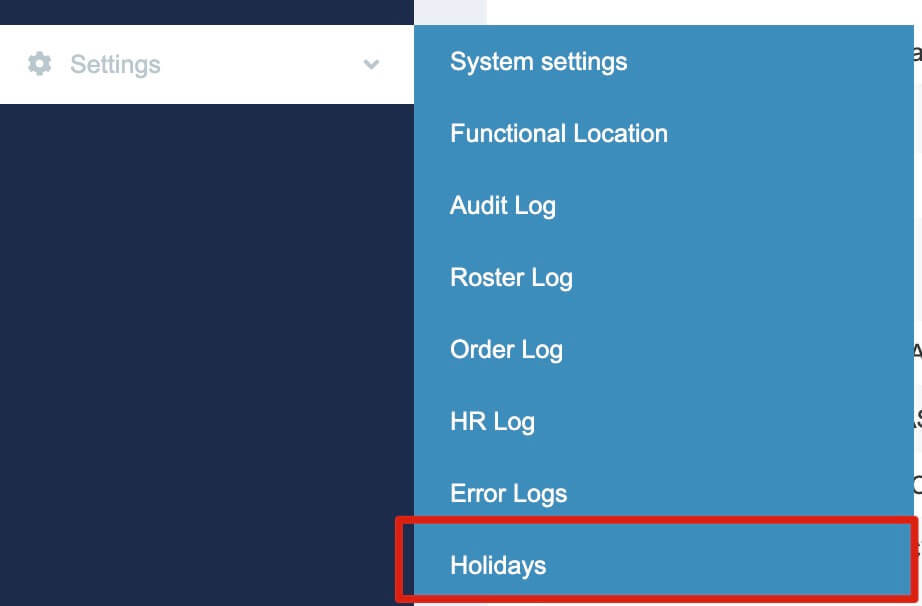
- Go to Settings > Holidays
-
You can view all existing holidays on this page. Global public holidays (e.g. New Year’s Day, Christmas Day, etc.) are already set up in the system.
Please follow the instructions below to create a global or regional public holiday.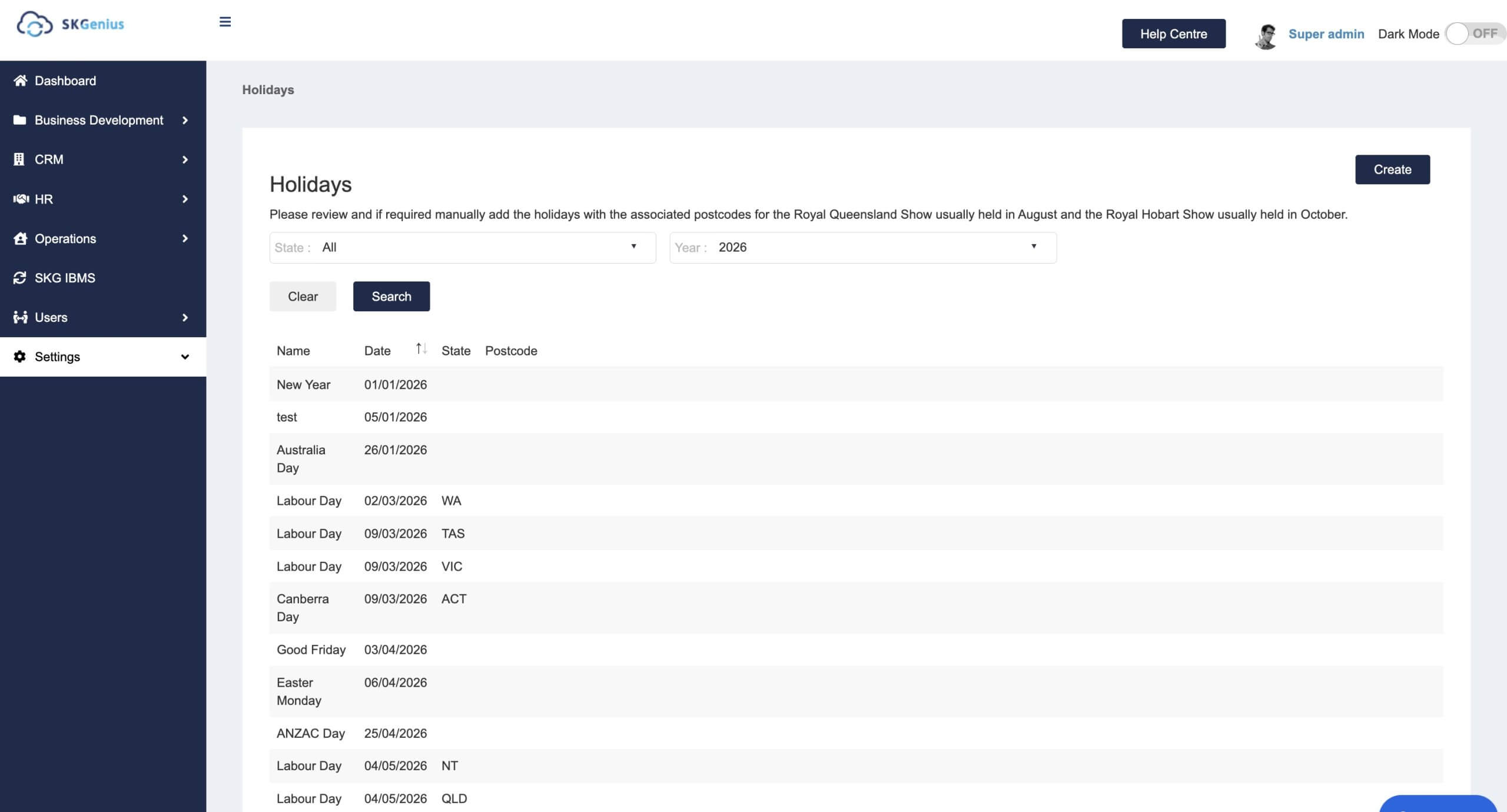
- Click “Create”

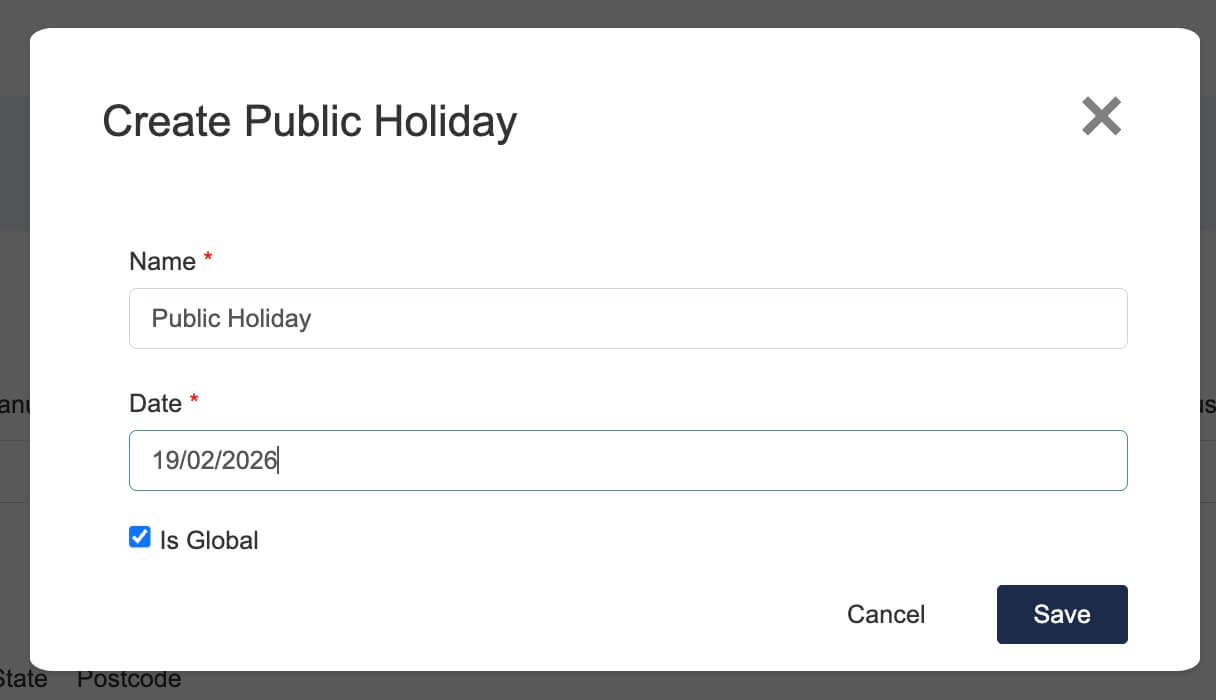
- Enter the holiday name and date.
If the holiday is a global holiday, leave the Is Global checkbox ticked. (This will apply to all states in Australia and all client sites.)
-
If the holiday is regional, untick Is Global. This will display a state list.
Choose the state from the list.
If the holiday only applies to specific suburbs (e.g. Royal Hobart Show), enter the postcodes and separate them with commas. This will apply the holiday only to sites located in those postcodes.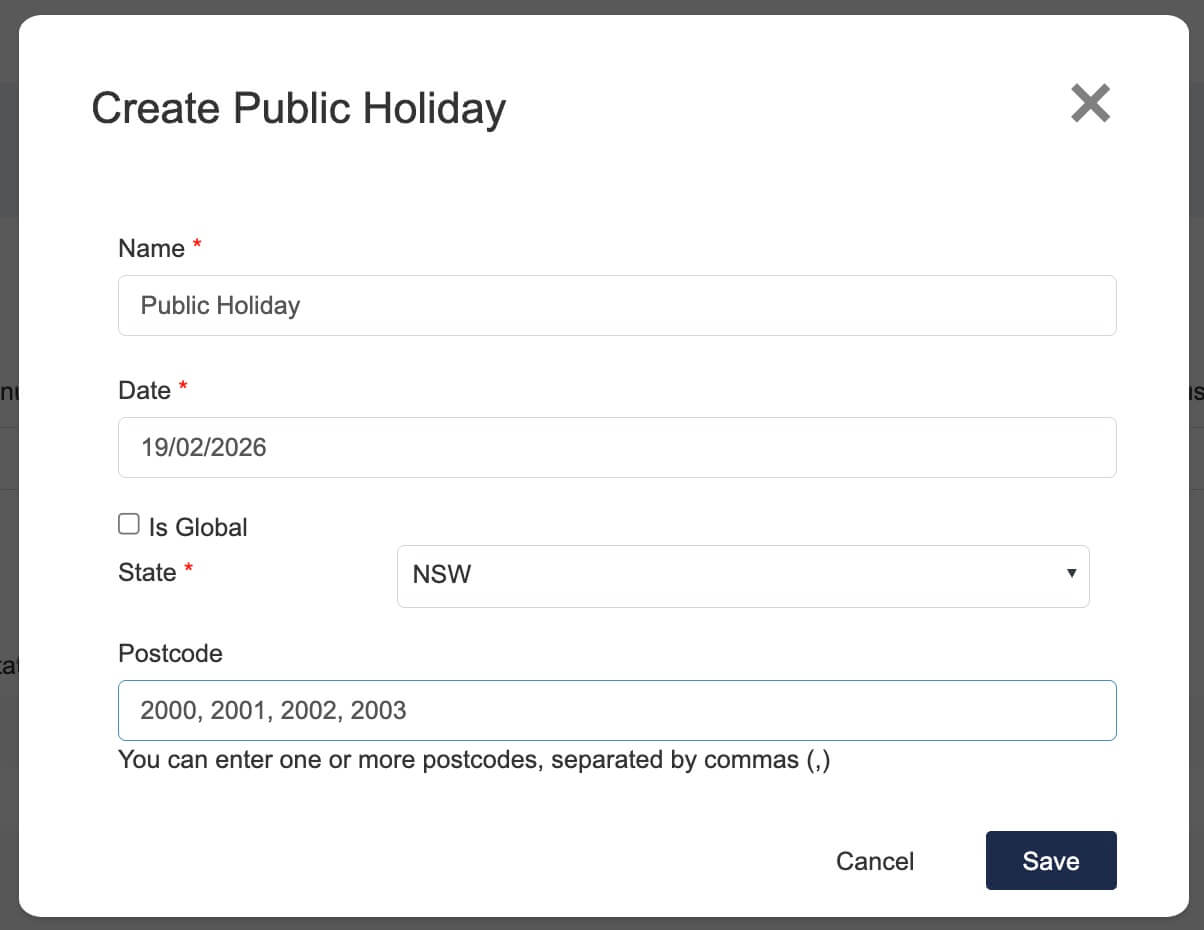
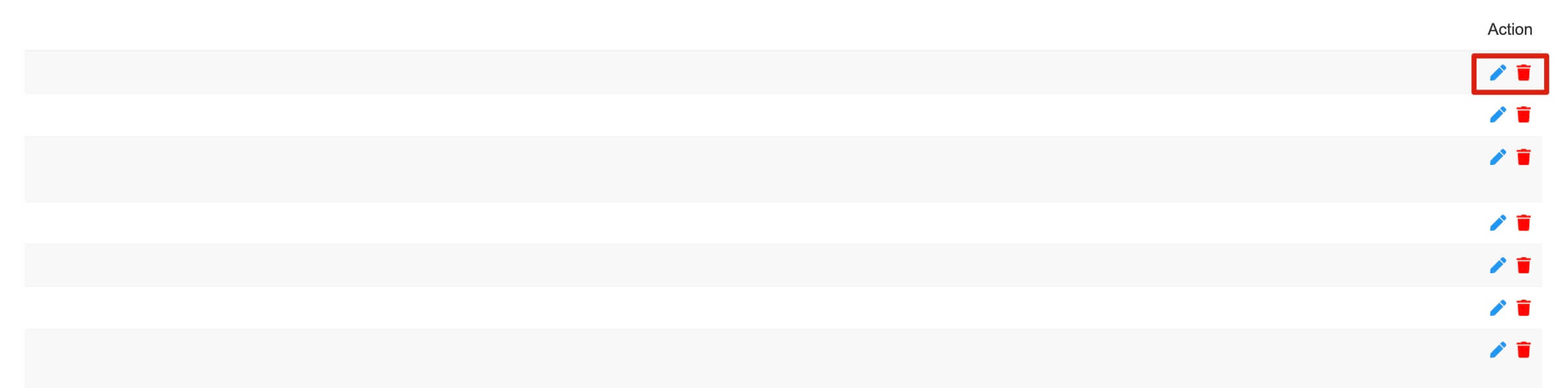
- To edit or delete a holiday, scroll to the right to see the available options.
- After creating the holiday, you can check it in Timesheet Approval.
If the day is a public holiday, a public holiday message will appear in the approval details.