How Can We Help?
Public Holiday Management
This is for managing public holidays.
- Go to Settings > Holidays
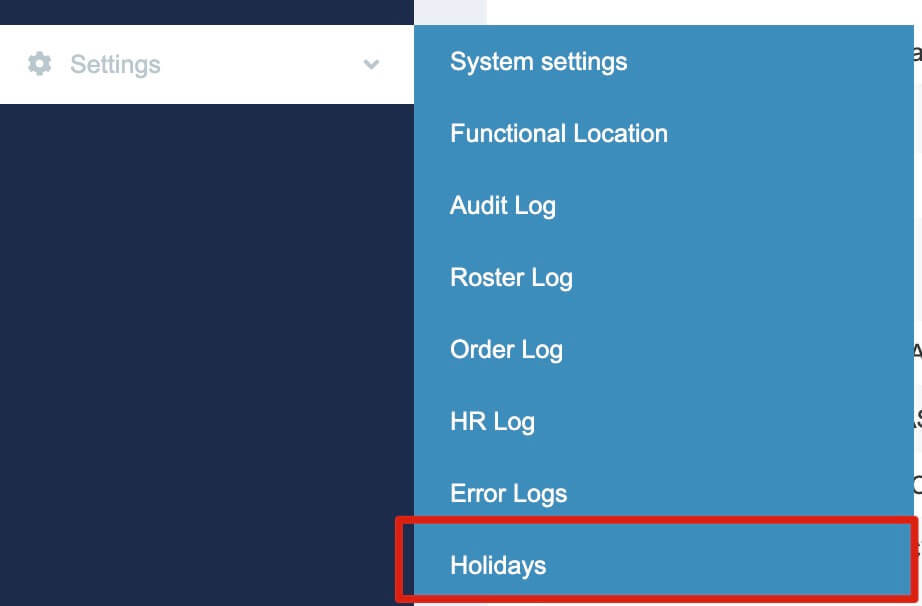
-
You can view all existing holidays on this page. General public holidays (e.g. New Year’s Day, Christmas Day, etc.) are already set up in the system. If you need to add a regional holiday, you can create one here.
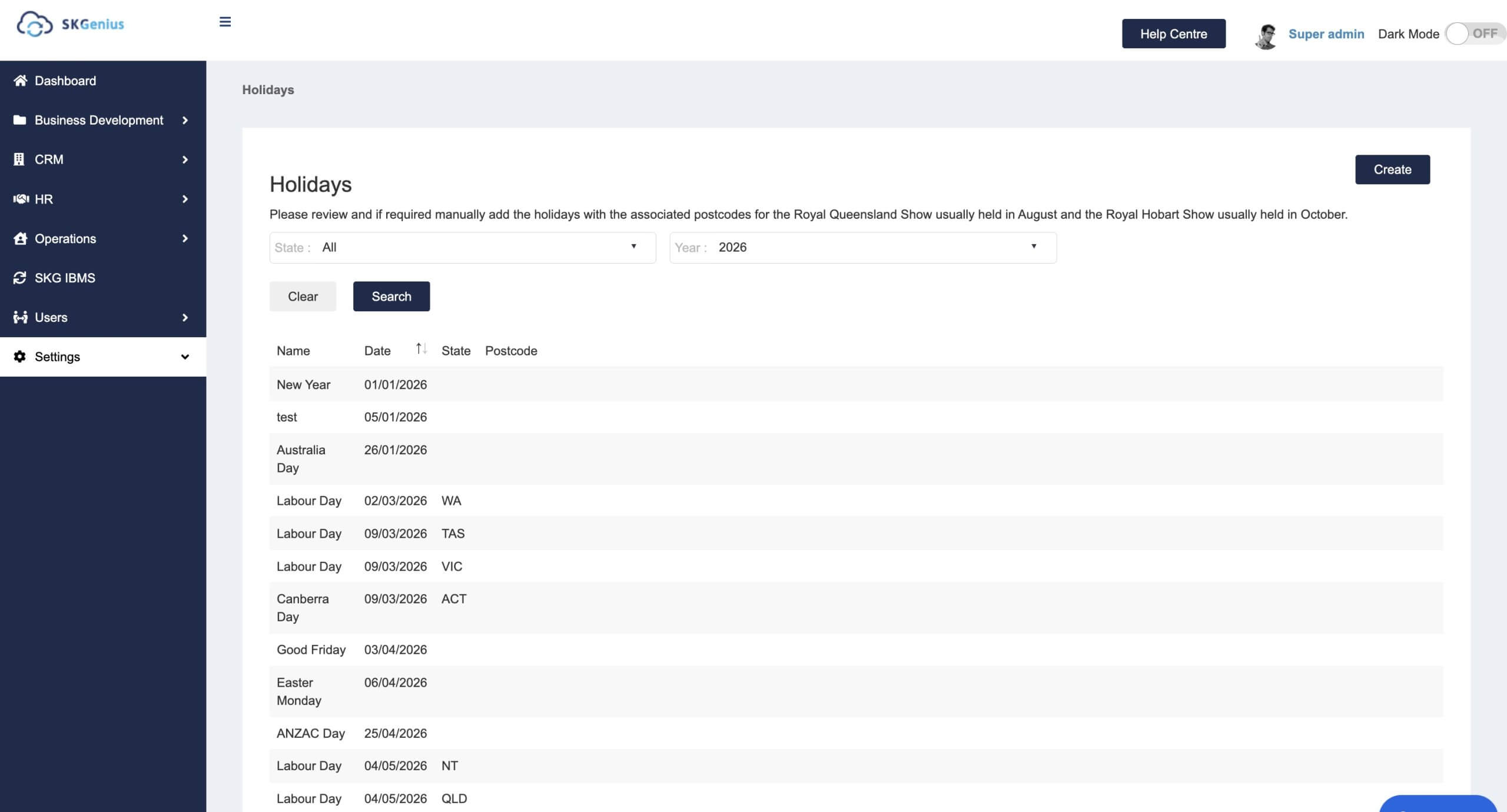
- Click “Create”

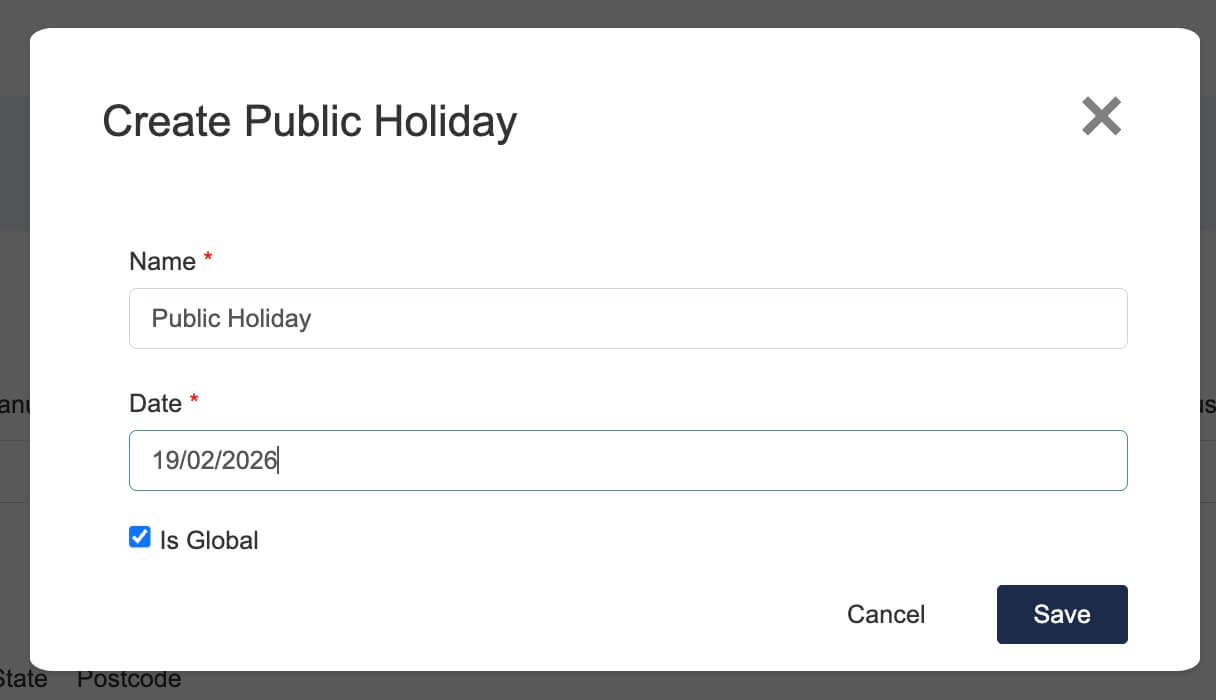
- Enter the holiday name and date.
If the holiday is a global holiday, leave the Is Global checkbox ticked. (This will apply to all states in Australia and all client sites.)
-
If the holiday is regional, untick Is Global. This will display a state list.
Choose the state from the list.
If the holiday only applies to specific suburbs (e.g. Royal Hobart Show), enter the postcodes and separate them with commas. This will apply the holiday only to sites located in those postcodes.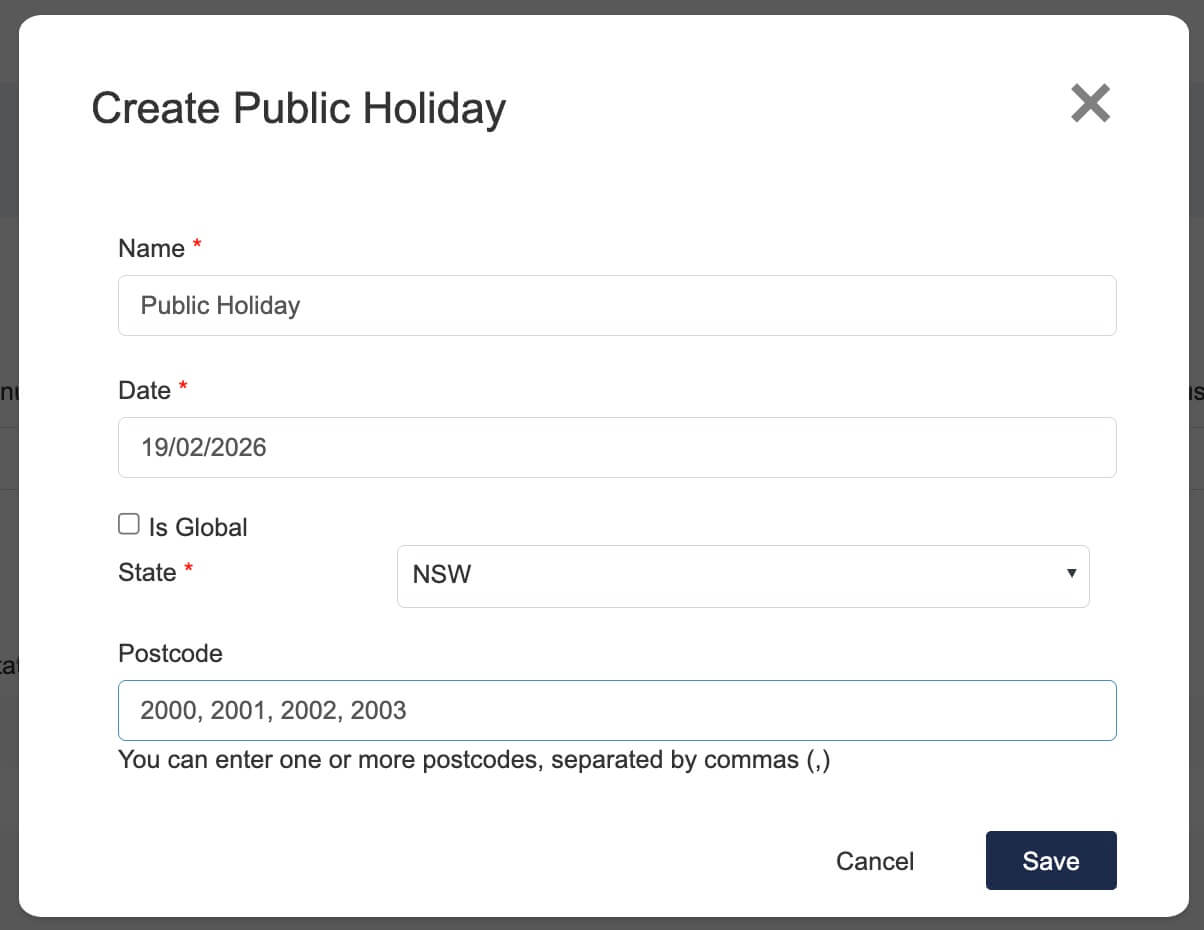
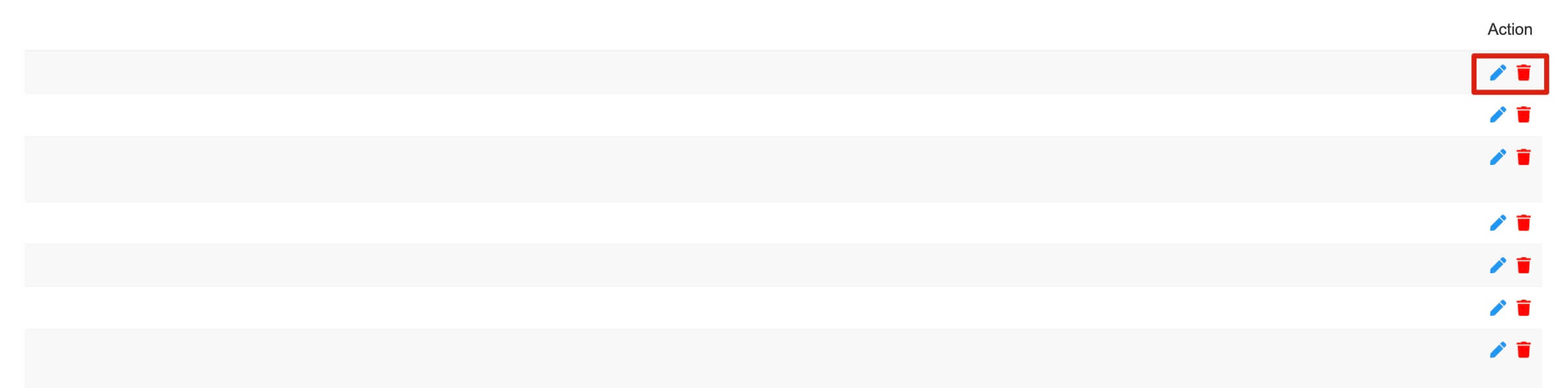
- To edit or delete a holiday, scroll to the right to see the available options.
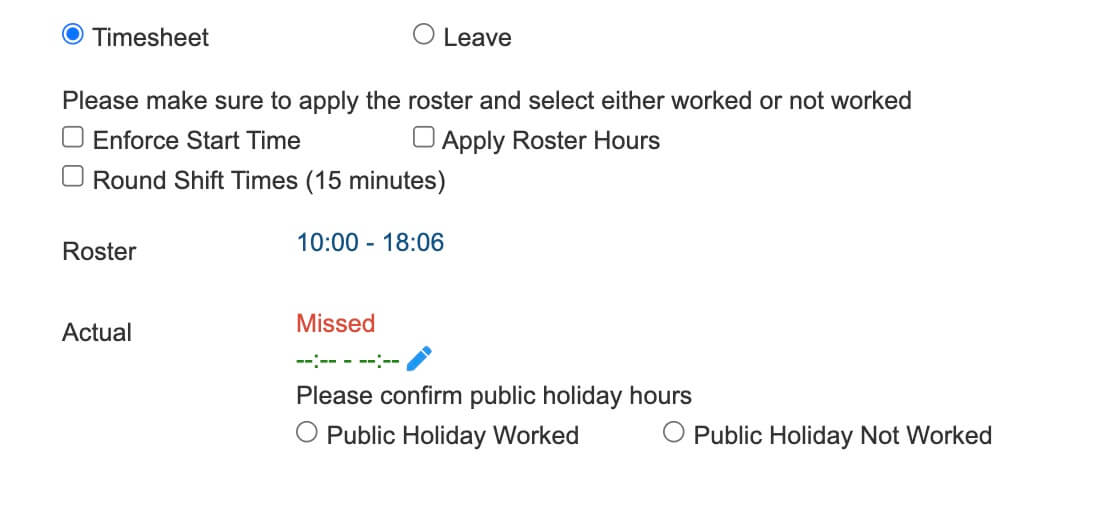
- After creating the holiday, you can check it in Timesheet Approval.
If the day is a public holiday, a public holiday message will appear in the approval details.